MCUForge Beta Cloud build · Local flash

ESP-IDF · FreeRTOS · Web Serial

Build ESP32 C/C++ firmware in the browser.

Create ESP-IDF projects, build them in a ready-made Docker toolchain, and flash the board on your desk straight from Chrome. No local install, no PATH fixes.
  • Free plan, no card
  • Real ESP-IDF project structure
  • Same build on every machine
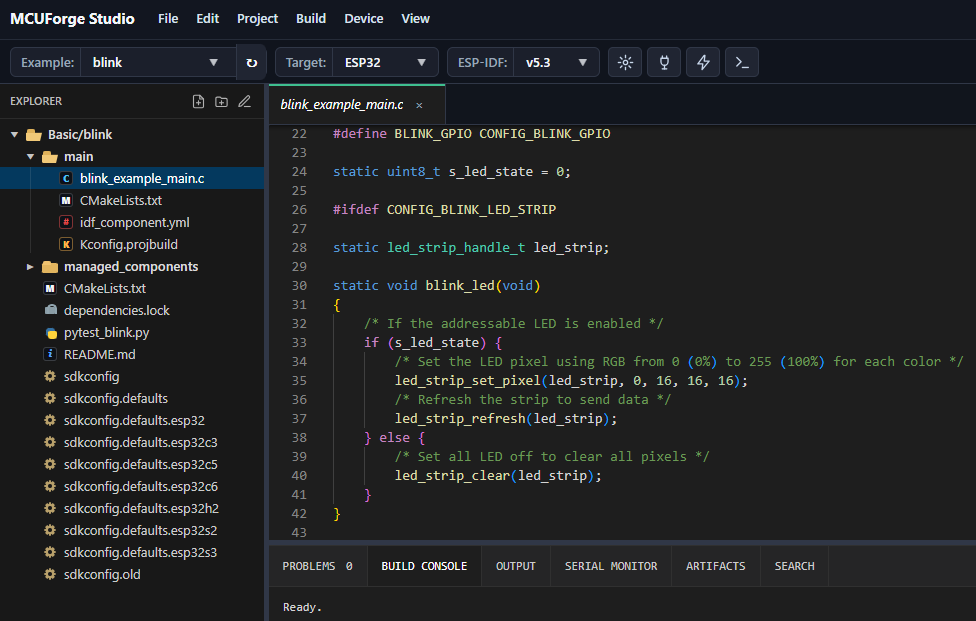
MCUForge Studio showing an ESP-IDF blink project, file explorer, code editor, and build panels

Workflow

From source to board in five steps.

The setup step usually eats an afternoon. MCUForge takes it over, so you start with the code.
  1. 01

    Edit

    Write C/C++ against ESP-IDF in a browser editor with the real project layout: sources, CMake, sdkconfig and managed components.

  2. 02

    Build

    Builds run in Docker with the ESP-IDF toolchain preinstalled. Errors land in Problems, the binaries in Artifacts.

  3. 03

    Debug

    Choose the GDB Debug build to set breakpoints, step through code and watch variables in decimal or hex.

  4. 04

    Flash

    Flash your ESP32 from Chrome over Web Serial. No local tools to install.

  5. 05

    Monitor

    Watch the board's logs live in the built-in Serial Monitor.
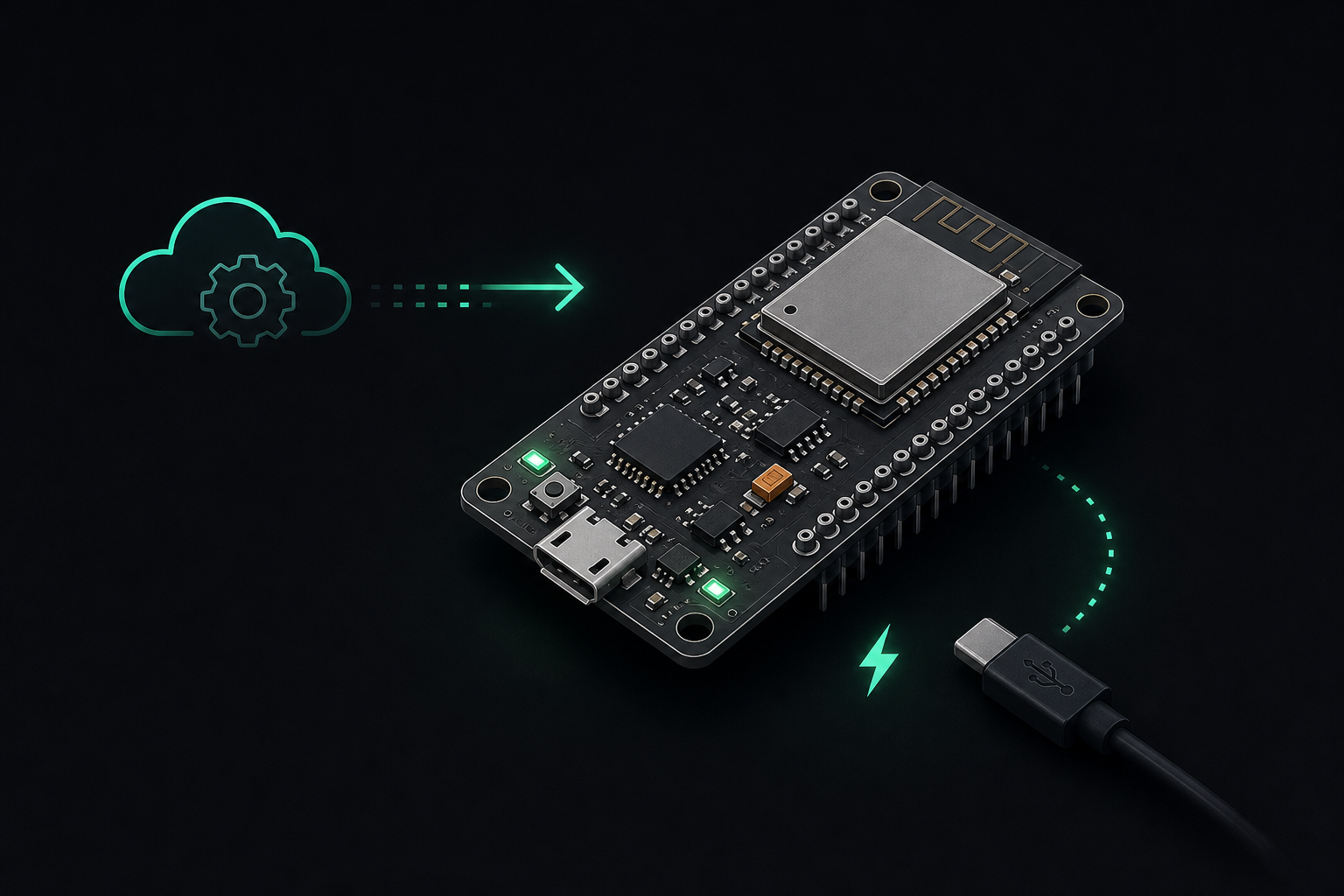
Stylized ESP32 board connected to a cloud build workflow

Real board workflow

Build in the cloud. Flash locally.

The heavy toolchain lives on the server. The board stays on your desk, connected to your browser.
  • Plug the board in over USB and pick its port in Chrome
  • Flash the latest build with one click
  • Read logs in the Serial Monitor without leaving the studio
  • Step through code with GDB Debug builds

Capabilities

Everything an ESP-IDF project needs, in one workspace.

Start from a working example, not a blank folder: the peripherals and patterns real ESP32 firmware uses.

Real C/C++ ESP-IDF projects

Source files, CMake, sdkconfig and managed components, editable in the browser. Upload an existing project as a ZIP, download it back any time.

Practical examples

GPIO, UART, I2C, SPI, PWM, timers and sensors, ready to build on.

FreeRTOS workflow

Tasks, queues, delays and event loops, structured the way ESP-IDF expects.

Docker builds

Every build runs in the same container: ESP-IDF, compilers and Python pinned and preinstalled.

Cloud project storage

Save a project to the cloud and open it again from any computer. The Free plan includes one cloud project.

Flash, monitor and debug

Flash a real board over Web Serial, read its logs in the Serial Monitor, and debug with GDB: breakpoints, stepping, and variables in decimal or hex.

Why MCUForge

Low-level control without the setup friction.

ESP-IDF already gives you direct access to the ESP32: peripherals, partitions, flash layout, production artifacts. What it doesn't give you is a build that works the same way on every laptop.

Local setup

  • Install ESP-IDF, Python and the toolchain
  • Fix PATH and version conflicts
  • Repeat on every new machine
  • "Works on my laptop"

MCUForge

  • Open the browser and pick an example
  • Toolchain is ready in Docker
  • Same build for every teammate
  • Board stays on your desk

Pricing

Start free with MCUForge Studio.

MCUForge is in beta. The Free plan covers the whole workflow; Pro adds capacity and tooling.

Free

$0 / month

Available now

Practical ESP-IDF C/C++ firmware for real boards.

  • ESP32 / ESP-IDF examples
  • C/C++ browser code editor
  • ESP-IDF cloud builds
  • Flash ESP32 from the browser
  • Serial Monitor
  • GDB Debug builds
  • Upload and download project ZIP
  • One cloud project
Free limits
  • 10 builds per day, 200 per month
  • 5 GDB Debug builds per day
  • 1 cloud project
  • 50 MB ZIP upload, 200 MB unpacked
  • Latest build artifacts only
Sign up for free

Pro

Soon

Waitlist

More build capacity, project history and advanced ESP-IDF tooling.

  • Priority builds
  • Higher build limits
  • More cloud projects
  • Build & artifact history
  • ESP-IDF version selection
  • GitHub integration
  • Partition table & NVS tools
  • Crash / backtrace decoder

FAQ

Good to know.

Which browser do I need to flash a board?

Flashing and the Serial Monitor use Web Serial, available in desktop Chrome and Edge. Editing and building work in any modern browser.

Do I need to install ESP-IDF?

No. Builds run on the server in Docker with the ESP-IDF toolchain preinstalled. You only need a USB cable to flash the board.

How long are my projects kept?

A project you have not opened for 30 days is removed from the server; the studio shows the date in the status bar. Save it to your cloud project or download a ZIP to keep it longer.

Can I bring an existing ESP-IDF project?

Yes. Upload it as a ZIP (up to 50 MB, 200 MB unpacked) and build it as is. Download it back as a ZIP whenever you want.

New to MCUForge? Sign up for free

Forgot password or email?

Remembered it? Sign in

Ready? Sign in

Already have an account? Sign in